
Your code,
your machine.
A fast, keyboard-driven code snippet organizer with built-in version history. No cloud, no accounts, no subscriptions.
Why SnipWiz?
In 2026, we wanted a simple snippet manager without the fluff. No Electron bloat, no cloud lock-in, no monthly fee. Just a fast, native app that stays out of your way.
Smallest footprint
Built with Tauri and Rust — not Electron. SnipWiz is one of the smallest snippet managers with import/export and git-powered version history.
Zero cloud dependency
No accounts, no sync, no telemetry. Your snippets live on your machine in a simple JSON file. Export and back up anytime.
Version history built in
Every save creates a git-powered snapshot. Browse history, view diffs, and restore any previous version — without touching the terminal.
Features
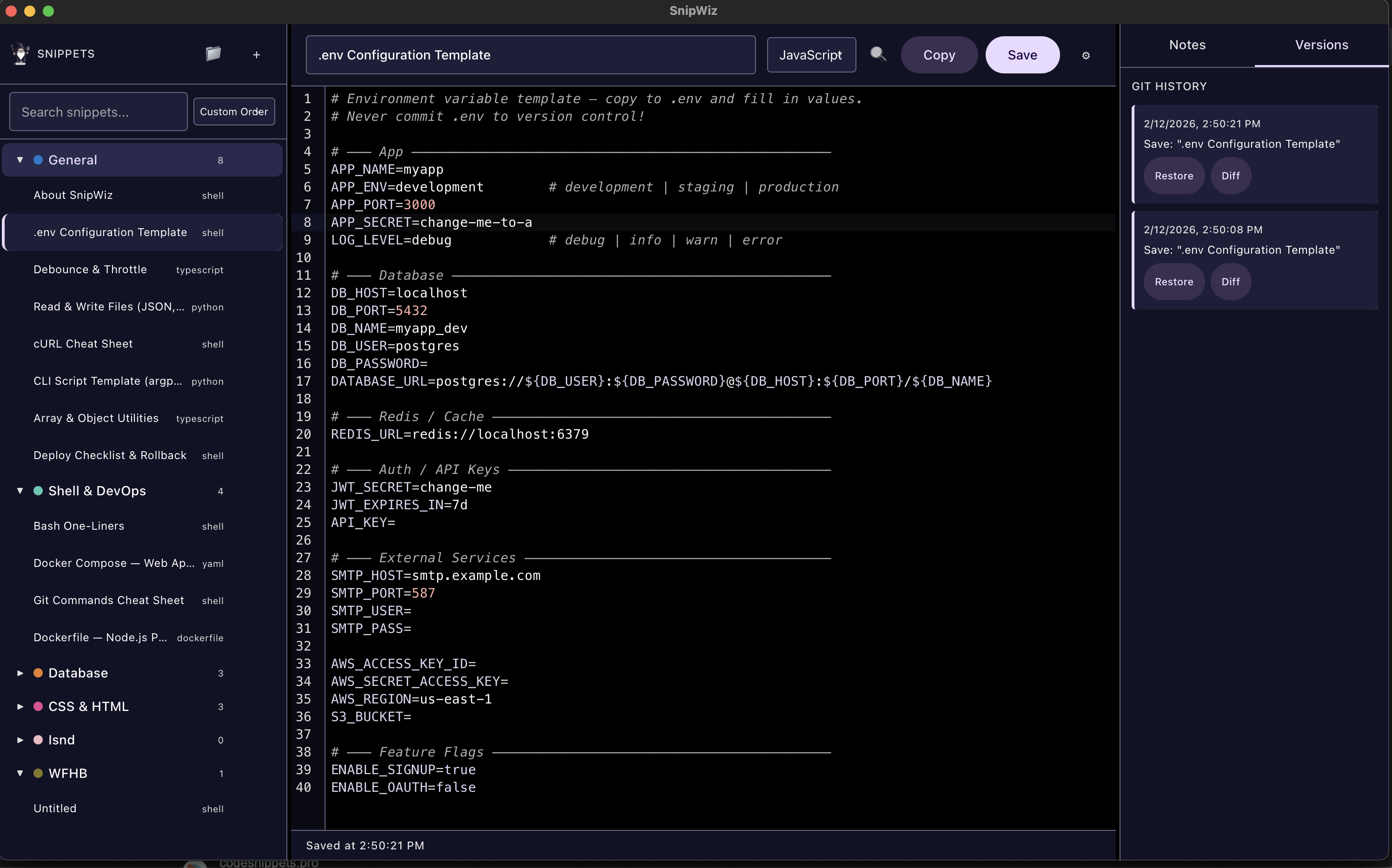
Three-Panel Design
Sidebar for folders, full editor in the center, notes and version history on the right. Drag the dividers to resize panels — widths persist across sessions.
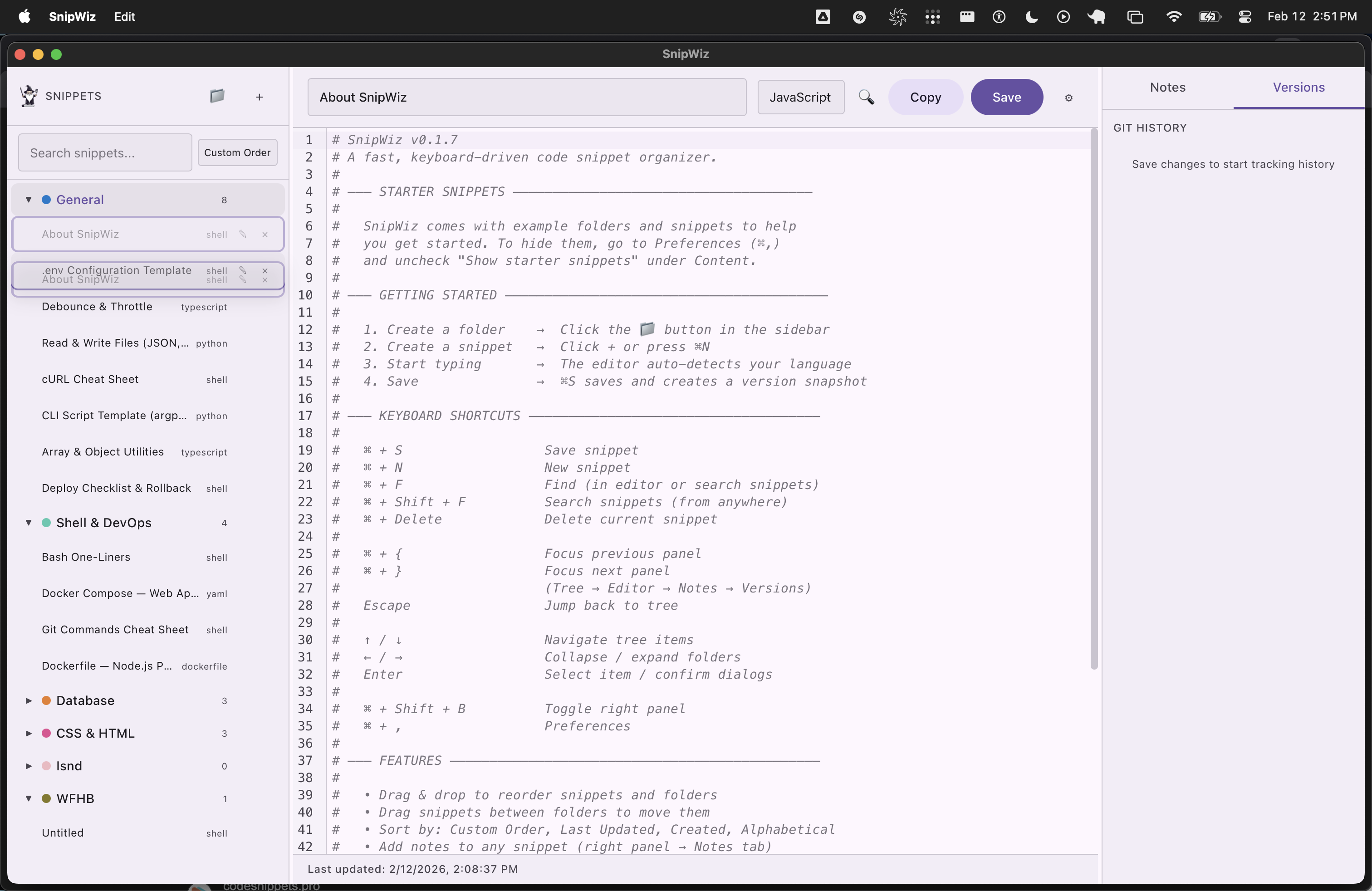
- Folder tree with colored dots and drag-and-drop reordering
- CodeMirror 6 editor with 30+ languages and syntax highlighting
- Search across titles, code content, and notes
- Sort by custom order, last updated, created, or alphabetical
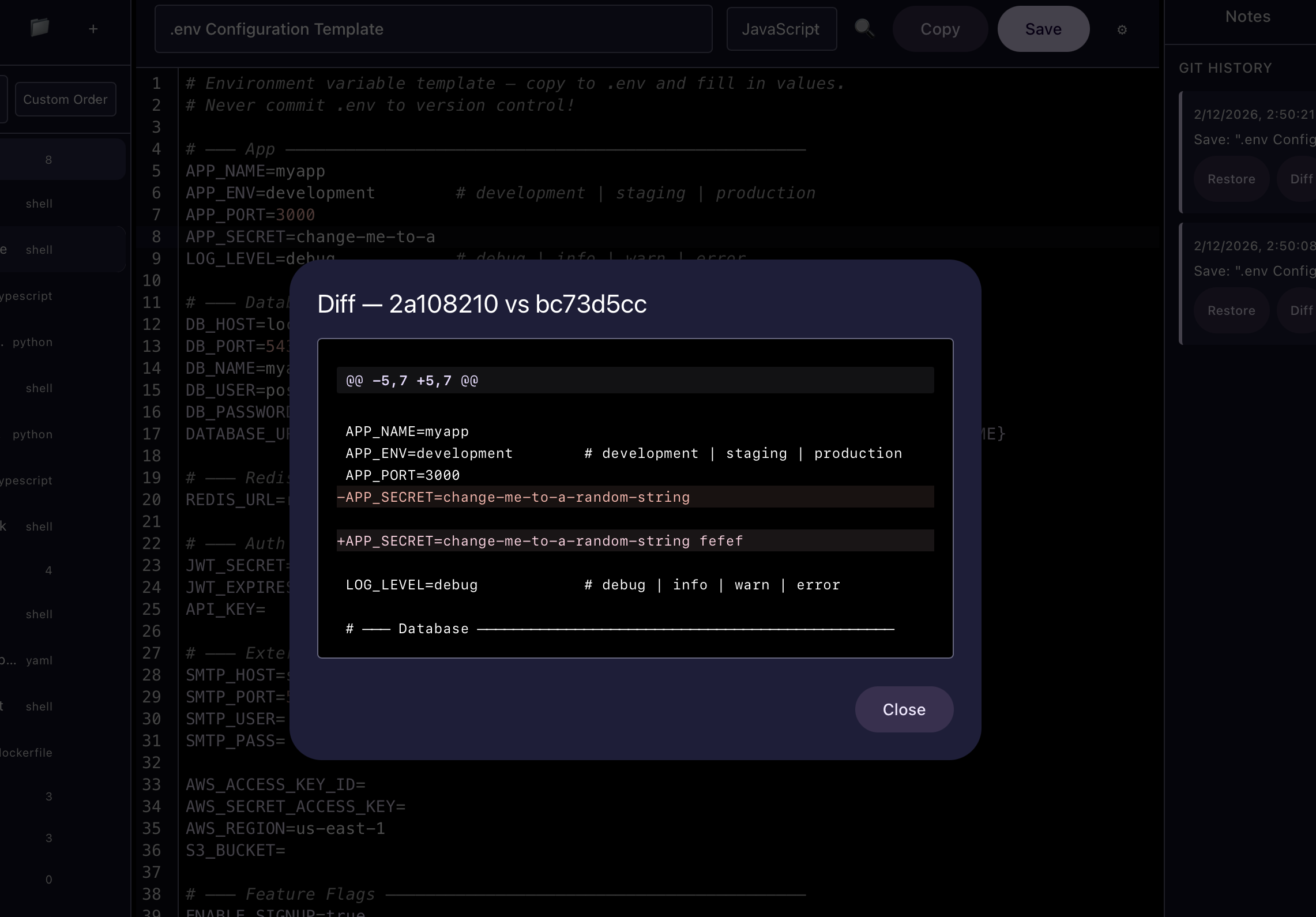
Version History & Diff Viewer
Every save creates a git-powered snapshot — automatically, behind the scenes. Browse your full history, compare any two versions side by side, and restore with one click.
- Visual diff viewer highlights exactly what changed
- Restore any previous version instantly
- Powered by libgit2 — no git install required
- All local, no cloud sync needed
Three Themes
Dark, Light, and High Contrast — switch instantly from Preferences. Each theme carries through to the code editor with matched syntax highlighting.
- Dark theme for late-night coding
- Light theme for daytime readability
- High Contrast for accessibility (WCAG AAA)
- Ships with 23 starter snippets to get you going
Keyboard-First & Customizable
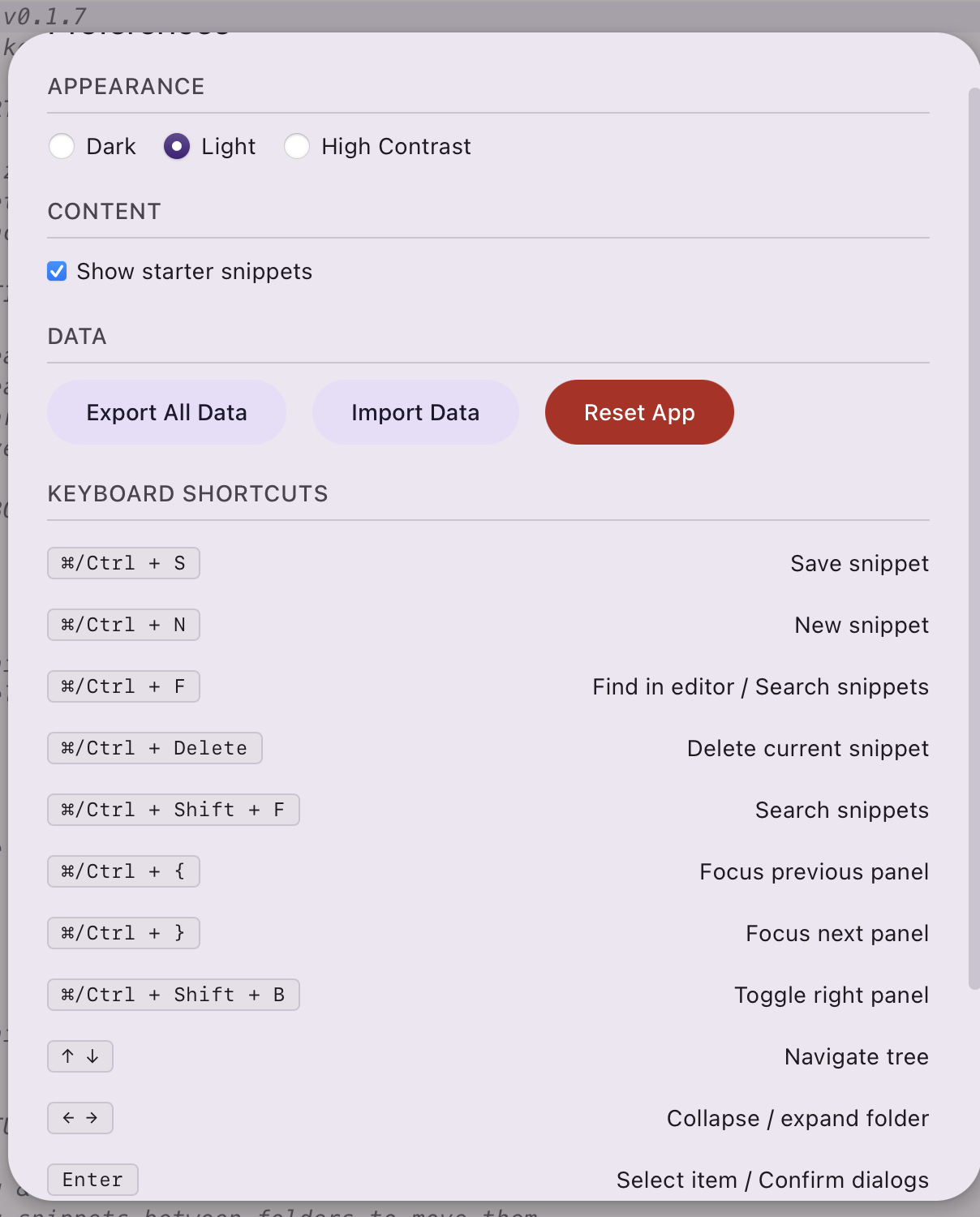
Navigate, create, save, and switch panels without touching the mouse. Full keyboard shortcut reference built right into Preferences.
- Cmd+S save, Cmd+N new snippet, Cmd+F find
- Cmd+{ / Cmd+} cycle between panels
- Arrow keys navigate the tree, Enter to select
- Export/import your entire library as JSON
Ready to organize your snippets?
SnipWiz is coming soon. One-time purchase, no subscriptions.